2.9.0 - Updated Budgeting Panel

Iiro
Christensen
Overview panel for budgeting
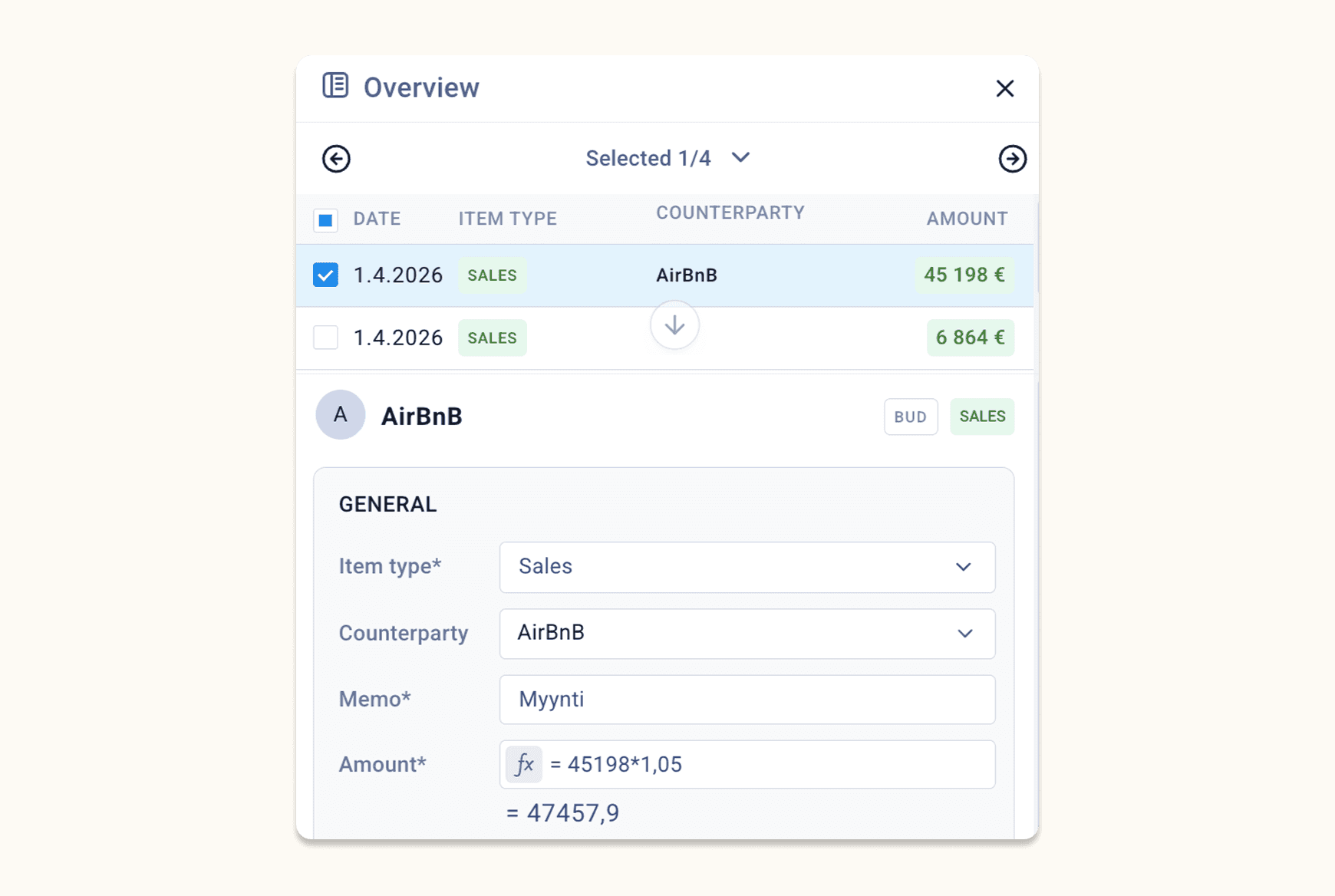
We’ve redesigned the Overview panel to provide a more reliable and intuitive budgeting experience.
Upper section: list of budget items
Displays a list of all budget items related to the selected cell
List shows all items by default
Section can be collapsed/expanded
Navigate easily between items using left/right arrows
Lower section: budget item fields
Improved the title with clearer context: name of counterparty
Shows if multiple budget items are selected for bulk edit
Amount field now supports formulas, with calculated value shown below
Easier adjustment of start date (e.g. shift by month or quarter)
Panel usability improvements
Width of the panel can now be resized
Frees up space when using Caleido with a laptop screen
Actions menu (new)
Add fields (e.g. dimensions) to the panel
Reset to default fields
Delete one or multiple budget item
Save button in the panel bottom section has replaced the previous Update button.
These updates significantly streamline navigation, editing, and management of budget items.
Drilldown from any column & other updates
Drill-down from any column type
You can now drill-down with ENTER from any dynamic column, including totals.
Select a value
Press Enter
View underlying transactions in list view
Number formatting
Support for saving formats using comma as decimal separator
Comma is now the default decimal separator
Other
Finalized VAT adjustment for direct cash flow (Procountor)
Row header arrows are now activated when hovering anywhere on the row (not just the header area)
Bug fixes
Budget items are now soft deleted (recoverable, not permanently removed)
Fixed issues with cash available columns
Other performance and stability improvements